






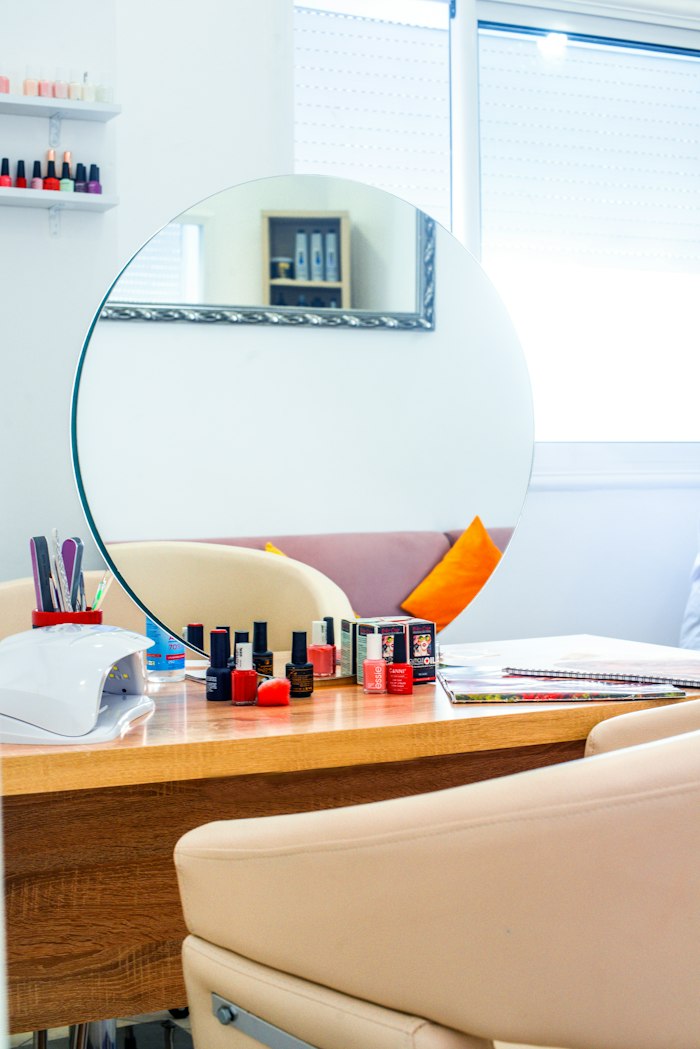

Built for anyone who runs on appointments
Your day is booked solid. Until someone doesn’t show.
Barbers, salons, spas, clinics, therapists, studios. One missed slot can’t be resold at the last minute — a reminder the day before gives people the nudge to come, or the chance to cancel in time.





Try it now — no signup
Type an appointment. See the reminder.
The texts below use PreventNoShows’ exact wording; the email is a close preview. Change the details and watch them update.
Reminders go out automatically, about 24 hours and 2 hours before. With adaptive reminders on, low-risk clients get one and high-risk clients get an extra one 3 days out. Nothing goes before 8 a.m. or after 9 p.m. your time. You choose text, email or both.

The day before is when it matters.
Early enough that a cancellation can be filled. Close enough that it’s top of mind. That’s when PreventNoShows reaches out.
- You book itIt syncs from your calendar feed or Square Appointments, or you add it in your dashboard: name, phone or email, time and service.
- ~24 hours beforeA text goes out in your business’s name and an email with your business name, each with one “Confirm or change” link. Clients can also just reply Y.
- One tap or one letterThe client replies Y, or taps to confirm, pick a new time or cancel — no app, no login, no phone tag. Their answer shows up in your dashboard right away.
- ~2 hours beforeA short “see you soon” heads-up, so nobody forgets on the day.
- Before you openYou can see who’s confirmed and who cancelled, and offer any open slot to your waitlist.
Less phone tag, more appointments
Confirmed. Relaxed.
No more calling down the list at the end of the day. Your clients get a clear reminder, you get a clear answer, and your team gets their evenings back.
- Reply Y or tap to confirm
- Text, email, or both
- Every text says how to opt out
- Confirmed/cancelled status at a glance

Set up over one coffee
Three steps. About ten minutes.

Sync or add appointments
Paste a calendar feed link or connect Square Appointments. Or add them by hand, about a minute each.

Pick your reminders
Day-before, two-hour, or both. Text, email, or both. Set it once.

Watch the chairs fill
Confirmations roll in. Cancellations come early enough to rebook.
Also included
Smarter reminders for the ones who’d skip.
Included with PreventNoShows at $99 per location. The tags show what needs setting up.
No-show forecast + smarter reminders
Every appointment gets a low, medium or high no-show risk with the reasons shown: past no-shows or late cancels, first visit, how far ahead they booked, how fast they usually answer, and what your other FrontDesk Global products know. Turn on adaptive reminders and low-risk clients get one reminder, medium get the day-before and two-hour texts, and high-risk get an extra heads-up 3 days out plus a personal “please confirm”.
Deposit ask for repeat no-shows
Paste a payment link from your own Stripe, Square, PayPal, Venmo or Cash App. Clients with repeat no-shows (2 by default) see “to hold your spot, we ask for a deposit” and your link. The money goes straight to you: PreventNoShows never takes or holds a card, and you mark it received.
Two-way texting
Clients can reply Y to confirm, N to cancel, or R for a change link, and the appointment updates on its own. Any other reply lands in your Inbox, where you can answer people who texted you.
Self-serve reschedule
Each reminder has one “Confirm or change” link. If a client picks another open time from your published hours, the move happens at once without double-booking, and the old time is offered to your waitlist automatically.
“Save our number” + e-mail fallback
When your business has its own texting number, the first reminder includes a contact card so clients save you by name. If a high-risk client hasn’t replied within 6 hours, the e-mail version goes out once.
Quiet hours and consent
Nothing automated goes out before 8 a.m. or after 9 p.m. your time, and reminders are planned around that: a 7 a.m. appointment gets its reminder the evening before. Numbers from a calendar feed aren’t texted until you’ve recorded consent; e-mail reminders keep going.
The forecast is a hand-tuned points model, not a trained prediction, and it isn’t a promise. Reminders help people remember; we don’t promise a specific reduction in no-shows.
Compare
The honest comparison, with names.
Named alternatives for one location. Prices as listed by each company or as reported, checked September 2026.
| Feature | Appointment Reminder | Apptoto | Weave | PreventNoShows |
|---|---|---|---|---|
| Price | $29–$150 /mo 400–3,200 reminders | From $30/mo + $10 per extra user | From $199/mo about $750 setup, reported | $99 /location/mo |
| What’s metered | Reminders per month, by plan | Credits; $0.12 per extra credit | Plan-based suite pricing | Unlimited appointments 50 texts a day included |
| What it is | Reminder service | Reminders and calendar sync | All-in-one phones, messaging and payments suite | Reminders with reply-Y or one-link confirm and change, a no-show forecast, calendar-feed or Square sync, two-way texting, and a waitlist to refill cancelled slots |
| Trial / guarantee | 14-day trial | 30-day money-back | Not listed | 14-day free trial card required |
Swipe to compare →
If you only need basic reminders and send a few hundred a month, Appointment Reminder or Apptoto cost less. PreventNoShows is one flat price with unlimited appointments and nothing to set up.
As of September 2026. Competitor prices come from each company’s pricing page or, where marked “reported”, from third-party pricing write-ups; plans change, so check before you buy. Sources: Appointment Reminder pricing · Apptoto pricing · Weave pricing · Weave setup fee (Pabau).
Your numbers
What are no-shows costing you?

Your own estimate — use your real numbers. Results vary by business; we don’t promise a specific reduction.
No-show playbook
Six habits of full-schedule businesses.
Simple things that work alongside reminders. No signup needed.
Remind the day before
Early enough to rebook a cancellation, close enough to remember.
Make cancelling easy
A client who cancels at 5 p.m. beats one who silently skips at 9 a.m.
Keep it short
Name, day, time, one link. Nobody reads a paragraph on a lock screen.
Keep a short waitlist
PreventNoShows has one built in. When someone cancels, offer the slot and the first to claim it gets it.
State your policy once
If you charge a no-show fee, say so when booking — reminders make it fair to enforce.

Get consent for texts
Ask clients if you can text them, and honor STOP. Every PreventNoShows text includes it.
Use cases
How owners use it.
Typical setups by industry. These describe how the product works, not results from named customers.
Salons & barbers
Connect Square Appointments. Every booking gets a day-before and a two-hour text; clients reply Y to confirm.
Dental & medical
Only name, contact and time are needed. Keep diagnoses and treatment details out of appointment names.
Massage & spa
A client cancels at 5 p.m. Offer the slot to your waitlist in one tap; the first person to claim it gets it.
Physical therapy
Weekly regulars get the same short reminder every time, and you see who confirmed at a glance.
Tutors & coaches
Sync the calendar you already use with its private feed link. No new booking system.
Auto service
Drop-off reminders the day before, by text or e-mail, with your shop’s name on every message.
Pricing
One price. Everything included.
The same product whether you have one location or twenty. Multi-location: 20% off locations 2–5 and 30% off 6 and up. Email hello@frontdeskglobal.com and we’ll set it up.


Or $990/year billed annually: 2 months free. Pay yearly →
Our first 50 businesses get the founding price and a setup call with our founder. Ends December 31, 2026 or when the seats are gone. Monthly billing only.
Founding 50 terms
Your founding price stays the same while your subscription stays active on the same or a higher plan. It covers the plan as it is today, including its texts. Canceling, or a lapse of more than 30 days, ends it. Not combined with annual billing. The offer is limited to 50 founding seats and ends December 31, 2026, or sooner when the seats run out.
- No contract, month to month
- No setup fee
- 30-day money-back guarantee
- Cancel online anytime
- Unlimited appointments
- Waitlist included
- STOP opt-out on every text
- Unlimited appointments
- Day-before reminder
- Two-hour heads-up
- Text and email
- Reply Y or one “Confirm or change” link
- No-show forecast + adaptive reminders
- Two-way texting inbox
- Self-serve reschedule
- Deposit ask via your own payment link
- Confirmed/cancelled status at a glance
- Waitlist: offer open slots, first to claim wins
- Your business name on every reminder
- STOP opt-out on every text
- 50 texts a day included
- E-mail support from a real person
A card is required to start. You won’t be charged until day 15, and you can cancel before then. 30-day money-back guarantee on your first paid month. No setup fees. Need more texts? Add-on text packs are on your Billing page, with the price shown before you buy. Securely billed through Stripe.
Build your bundle
Tick the tools you want. Two tools save 15%, three save 20%, four save 25%, and five or six save 30%. Same 14-day free trial, one bill and one login.
14-day free trial, card required, no charge until day 15. No contract. 30-day money-back guarantee on your first paid month.
FAQ
Questions owners ask first.
When do reminders go out?
About 24 hours before the appointment (for appointments booked at least a day ahead) with one “Confirm or change” link, and again about 2 hours before as a short heads-up. With adaptive reminders on, low-risk clients get just one and high-risk clients get an extra reminder 3 days out. Nothing automated goes out before 8 a.m. or after 9 p.m. your time. You choose text, email or both.
How do clients confirm?
They reply Y, or tap the link and choose Confirm, Change the time or Cancel. No app, no login. Replying N cancels, and R sends them the change link. (STOP or CANCEL stops all texts.) Their answer shows up in your dashboard right away.
Do I have to enter appointments myself?
No. Connect a private calendar feed (Google Calendar, Outlook, iCloud or a booking app that offers one) or Square Appointments in Integrations, and new, moved and cancelled appointments sync about every 15 minutes. You can also add appointments by hand in about a minute.
What do the texts say?
Short and clear: your business name, the client’s first name, the day and time, “Reply Y to confirm” and one link to confirm or change. Every text ends with “Reply STOP to opt out.” No service details are included in the text.
Do I need my clients’ permission to text them?
Yes. Only text clients who’ve agreed to get texts from you. Numbers that come in from a calendar feed aren’t texted until you record their consent (one tick per client, or one bulk confirmation), and clients can also tap “Text me reminders” from the e-mail. Anyone who replies STOP gets no more texts from your business.
How many texts can I send?
50 texts a day per location are included (10 a day during the free trial). Email reminders aren’t capped. Busy season? Add a text pack or turn on pay-as-you-go from your billing page.
Will this stop every no-show?
No tool can. Reminders help people remember and give them an easy way to cancel in time — in randomized trials, reminded patients kept about 11% more appointments. Your results depend on your clients and your policies.
Can I cancel? Are there contracts?
No contracts and no setup fees, and a 30-day money-back guarantee on your first paid month. Cancel from your dashboard anytime, in two clicks.
What does it cost?
$99 per month per location, after a 14-day free trial (card required; no charge until day 15). Or pay yearly: $990 a year, which is 2 months free. No setup fees, no contract, and a 30-day money-back guarantee on your first paid month. Bundles that include it: Front Desk $279/mo, FrontDesk Complete $399/mo. More than one location? 20% off locations 2–5 and 30% off 6 and up: email hello@frontdeskglobal.com and we’ll set it up.
What is the Founding 50?
Our first 50 businesses pay $79 a month instead of $99 and get a setup call with our founder. The offer ends December 31, 2026 or when the 50 seats are taken, whichever comes first. Your founding price stays the same while your subscription stays active on the same or a higher plan. It covers the plan as it is today, including its texts. Canceling, or a lapse of more than 30 days, ends it. Not combined with annual billing.
What happens if I go over my daily texts?
Texts past your daily limit wait for the next day unless you add a text pack (the price is shown on your Billing page before you buy) or turn on overage in Billing. E-mail reminders are not limited.
Does it work with my booking software?
If your calendar or booking app can share a private calendar feed link (Google Calendar, Outlook, iCloud and many booking apps can), paste it into Integrations. Square Appointments connects directly. Anything else, add appointments by hand.
What happens when someone cancels?
You see it right away. Tap “Offer this slot” and PreventNoShows sends it to three people on your waitlist (those whose preferred times fit go first), by text if they agreed to texts or by e-mail. The first to tap Claim gets the slot and it’s added as confirmed; everyone else sees it’s taken. Add the booking to your own calendar too, since the waitlist doesn’t write back to Google or Square.
Is it OK for medical offices?
PreventNoShows only needs a name, a phone number or e-mail, and the appointment time. Keep diagnoses and treatment details out of appointment names. We don’t sign HIPAA business associate agreements (BAAs) today, so e-mail us before you start if your practice requires one.
Can clients text back?
Yes. Y confirms, N cancels (and offers the time to your waitlist), and R sends a change link. STOP or CANCEL stops all texts. Everything else shows up in your Inbox, and you can reply to anyone who texted you.
Do you take deposits?
No, you do. Paste a payment link from your own Stripe, Square, PayPal, Venmo or Cash App, and clients with repeat no-shows get a polite deposit request with your link. The money goes to you; we never take or hold a card.

Tomorrow’s chairs, confirmed tonight.
14 days free. No contract. Set it up in about ten minutes.
Start your free trial →